 Magyar
 English
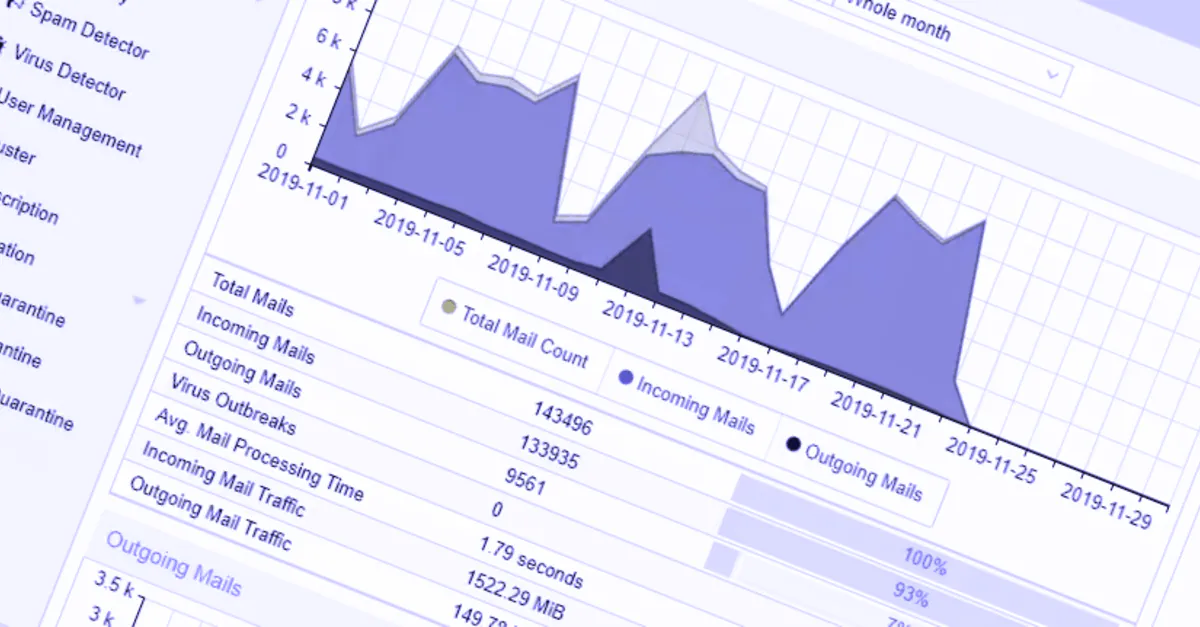
One of our clients came to us with a simple but very annoying problem: they were getting too much spam. They didn’t want to replace their mail system, because it was part of a complex solution that also gave them many other features. So we had to find a filter that wouldn’t touch the existing mail setup.
Starting point
- The mail server worked well, but its built-in spam filtering was weak.
- Replacing or reconfiguring the server was not an option.
- The users’ mailboxes and client settings had to stay unchanged.
Solution: a filter in front of the mail server
Proxmox Mail Gateway (PMG) is an open-source mail gateway that can be placed in front of an existing mail server. It receives incoming mail, filters it, and passes on only the clean messages.
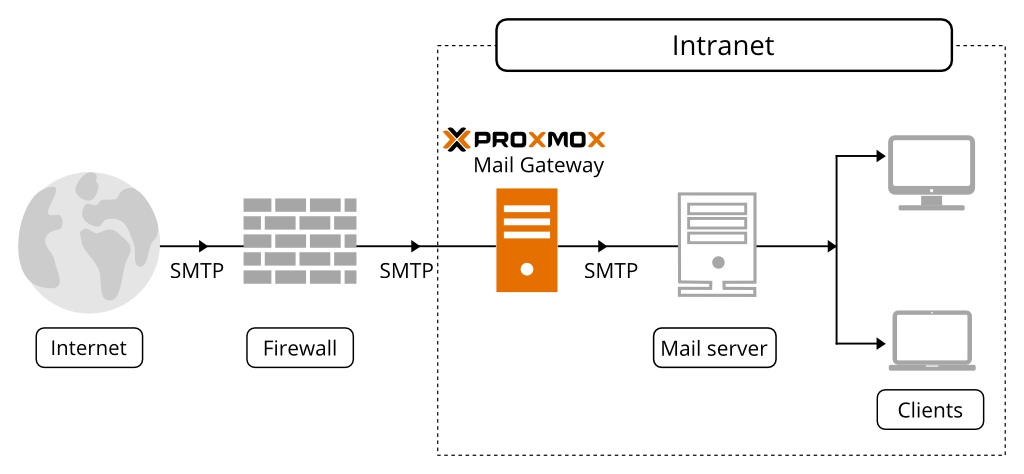
We installed the free version of PMG on a VPS, then changed the MX records to direct all mail arriving from the internet to it. From there, the cleaned mail flow goes on to the actual mail server. In this project, outgoing mail doesn’t pass through PMG: the mail server sends it directly, as before, although PMG can filter outgoing mail too.
One important detail: after the MX record is switched, the old mail server’s address is still known, and some spammers try it directly. That’s why it’s worth allowing incoming SMTP on the mail server’s firewall only from PMG’s address; otherwise the filter can be bypassed.
How the filtering is set up
- RBL/DNSBL lists. At the start of the connection, PMG checks whether the sender’s IP address is on lists of known spam sources. A large share of spam is already caught here, without analysing the content of the message.
- Local DNS resolver. The big blocklists limit the number of queries, and often don’t give a meaningful answer at all to queries coming through public DNS providers (such as 8.8.8.8). So we installed our own recursive DNS resolver next to PMG, and the queries go directly to the lists’ servers.
-
SpamAssassin rules. By analysing the spam the client had received earlier, we created custom scoring rules for the patterns that the default rule set didn’t catch. In PMG, custom rules go into the
/etc/mail/spamassassin/custom.cffile, and the scores of existing rules can also be changed in the web interface. The structure of a rule:header LOCAL_SUBJ_SAMPLE Subject =~ /\bsample phrase\b/i score LOCAL_SUBJ_SAMPLE 3.0 describe LOCAL_SUBJ_SAMPLE Common phrase in spam subjects - Bayes training. We trained SpamAssassin’s Bayes filter with spam and non-spam (ham) messages collected by the client, so it also learnt the characteristics of the company’s own mail.
PMG can also send users a daily summary of the messages that ended up in quarantine, so if something is caught by mistake, they can release it themselves.
Result
The steps above caught 95% of spam straight away. Based on the messages that slipped through, we did some more fine-tuning, which brought the filtered share of spam to 98%, while the share of messages wrongly marked as spam stayed below 3%. Meanwhile, neither the mail server nor the users’ settings had to be touched.
Looking back from 2026
At the time of the project, the PMG 7 series was current. Since then, in October 2025, Proxmox Mail Gateway 9.0 was released, based on Debian 13 and with SpamAssassin 4.0.2; the software is still free and open source. Major version upgrades are best done in a planned way, after a backup, because the underlying operating system is replaced as well. We have also written about what was new in earlier releases: Proxmox Mail Gateway 7.2, 7.3.
You can read about running email and spam filtering on the Infrastructure and operations page.